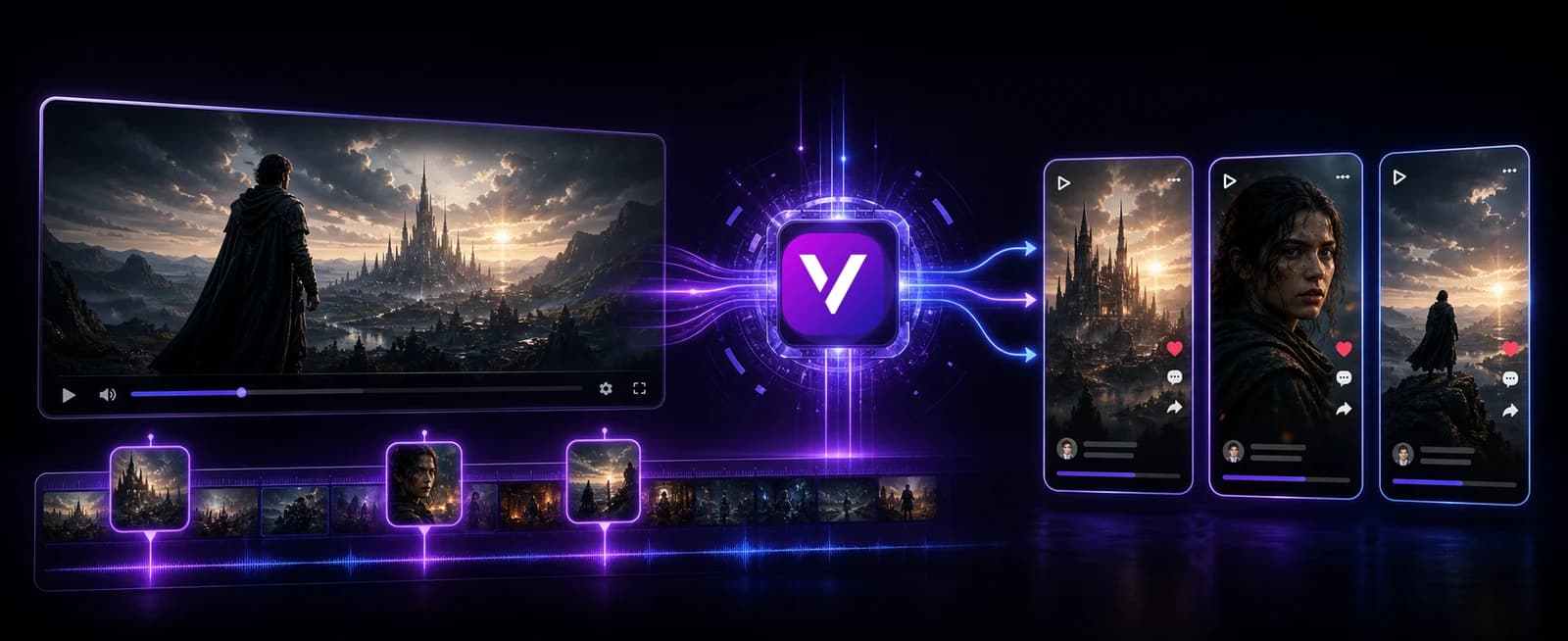
What is Video to Shorts AI?
Video to Shorts AI is a workflow for turning long-form videos into short-form clips that are easier to post on TikTok, Instagram Reels, YouTube Shorts, and other mobile-first platforms. Instead of treating a long video as one single upload, a creator can use it as a source of many smaller pieces of content. A strong interview answer, a funny reaction, a tutorial step, a challenge moment, a podcast highlight, or a clear explanation can become a standalone short when it is clipped, reframed, captioned, and paced correctly.
This matters because most creators already have more usable content than they realize. A long YouTube video may contain several moments that could work as shorts. A webinar may contain a practical explanation that would be useful as a vertical clip. A podcast may contain a strong opinion, a surprising story, or a fast answer that can become a shareable post. AI video clipping helps creators find and package those moments without manually rebuilding every edit from the beginning.
Why long videos are powerful sources for short-form content
Long videos usually contain more context, more conversation, and more natural moments than a short video filmed specifically for social media. That makes them valuable sources for clipping. A single recording can contain educational moments, emotional reactions, memorable statements, behind-the-scenes details, visual highlights, and clean explanations. The challenge is that these moments are often hidden inside a larger timeline, and finding them manually can take longer than editing the clip itself.
A video-to-shorts generator gives creators a faster way to repurpose existing content. Instead of asking, “What should I post today?” a creator can ask, “Which moments inside this long video deserve their own post?” This changes the content strategy. One long recording can support many short clips, and those clips can be tested across different hooks, captions, titles, and platforms. For creators who want consistency, this is one of the most efficient ways to increase output without constantly filming new material.
How AI video clipping improves the editing workflow
Manual clipping can be repetitive. You watch the full video, mark timestamps, cut the clip, resize it for vertical viewing, add subtitles, adjust pacing, export the result, and repeat the process for every short. AI can help reduce that friction by assisting with the parts that take the most time: finding candidate moments, shaping them into short-form clips, preparing captions, and adapting the frame for mobile viewing.
A good clipping workflow does not simply cut a random sixty seconds from the source. A useful short needs a hook, enough context to make sense, a clear point, and a natural ending. It should be easy to understand even if the viewer has never seen the original video. It should also be easy to watch on a phone, which means vertical framing, readable captions, and clean pacing matter. Video to Shorts AI is designed around those social requirements.
Video to shorts for YouTube, TikTok, Reels, and Shorts
Each short-form platform has its own culture, but the core requirements are similar. The clip must be clear quickly, the viewer must understand the subject without waiting too long, and the format must feel natural on a phone. YouTube Shorts, TikTok, and Instagram Reels all reward content that is easy to watch, easy to follow, and strong enough to keep the viewer from scrolling away. AI clipping helps by turning a long source into several short candidates that can be posted, tested, and improved.
This is especially useful for creators who already publish long videos. A podcast episode can become opinion clips. A tutorial can become quick lessons. A challenge video can become highlights. A stream can become reactions and moments. A webinar can become short educational posts. Instead of using each long video once, the creator can turn it into a repeatable short-form content engine.
Subtitles and vertical framing make clips perform better
Short videos often play in noisy environments, silent feeds, and fast scrolling sessions. Many viewers watch without sound, so subtitles help them understand the clip immediately. Captions also improve accessibility and make the video easier to follow when the speaker talks quickly or the clip contains a lot of information. For this reason, automatic subtitles are a core part of a strong clipping workflow.
Vertical framing is just as important. A horizontal video can feel small on a mobile screen if it is not reframed. Important faces, objects, and actions need to stay visible inside the vertical crop. When a clip is prepared for TikTok, Reels, and Shorts, the framing should make the main moment feel intentional rather than squeezed into the wrong format.
How to get better clips from long videos
The best source videos usually have clear speech, useful moments, and enough visual or emotional variety to create strong clips. Interviews, podcasts, tutorials, challenges, product demos, reactions, and educational videos often work well because they contain moments that can stand alone. When choosing a source, look for sections with a strong statement, a surprising fact, a story beat, a clear lesson, a funny reaction, or a visual moment that makes sense without too much setup.
After generating clips, review them like a viewer. Does the opening line make you want to keep watching? Is the subject clear? Do the subtitles help the story? Is the clip long enough to make sense but short enough to stay focused? Does it work without requiring the viewer to know the full original video? These questions help turn raw clips into better social posts.
Why creators use clipping as a growth strategy
Clipping is powerful because it multiplies the value of content you have already produced. A creator may spend hours recording a long video, but the audience may discover them through a single short highlight. If that short performs well, it can bring viewers back to the main channel, the full video, the product, the podcast, or the creator's profile. This is why many creators use shorts not only as standalone entertainment but as discovery assets.
Video to Shorts AI supports that strategy by making the clipping process faster and more repeatable. It helps creators publish more consistently, test more hooks, reuse more of their long-form work, and build a stronger short-form presence without needing to edit every clip manually from scratch.
Video clipping alternatives creators search for
People comparing AI clipping tools often search for YouTube to Shorts, long video to shorts, AI video clipper, podcast to shorts, webinar to shorts, auto captions, vertical video repurposing, and alternatives to tools like Opus Clip, Munch, or Vidyo. The search intent is clear: they want to turn one source video into multiple clips without losing hours on manual timeline editing.
Vexub focuses the page on that intent. It explains the practical workflow from long video to short clips, including moment detection, vertical reframing, subtitles, captions, social pacing, and export-ready formats for TikTok, Reels, and YouTube Shorts.